

How to access blocked websites from other countries?
How often, when traveling or spending time abroad, do you get the message that the website you are trying to access is blocked due to your location?
Maybe you are trying to access personal information back home while overseas or simply want to watch Netflix or a specific Youtube video; your location dictates what you can and cannot view.
It is a frustrating thing to deal with for travelers.
That restriction is called geoblocking. Whether it’s for copyright reasons, cost of operation, or another reason, when you can’t access a network or internet service because of your location, that is geoblocking.
But, there are ways around this, and that’s what I want to share here: how to access a website from a different country if it initially is blocked.
Geoblocking and How to Access Blocked Sites
A network discovers your current location by the IP (Internet Protocol) address attached to your device.
Your IP is your identity on a network that is assigned by the Internet Service Provider (ISP) and changes depending on your location.
Regions have IP address pools, which the ISP provides. Networks and services will have one pool of IP addresses that are exempt from restriction. Any IP address outside of this pool will be restricted.
This process can be quite frustrating for travelers and people living abroad. Thankfully, there are ways around geo-restrictions that make it a lot easier to access blocked websites and services.
So, while you plan your next trip abroad, make sure you know about the following two options for how to access blocked sites so that you can access everything you need at any given location.
How to Access Blocked Websites Anywhere in the World

1. Use a VPN for Blocked Sites
A VPN is likely the best and most reliable way to get past geo-blocking.
A Virtual Private Network (VPN) is like a tunnel for your data to go privately back and forth from the network and your device. It secures, encrypts, and protects your valuable information from outsiders.
Without a VPN, your information traveling to and from the network is vulnerable to prying eyes, hackers, and cyber thieves.
If you spend time on websites that require personal information (online banking and online shopping, for example), you can use a VPN for the added protection you need.
When it comes to traveling and geoblocking, a VPN will get you to open blocked sites and services to which you previously didn’t have access.
Your device is assigned a different IP address from a different location. So, it looks like you are in one country, when in fact, you are somewhere else entirely, which enables you to access your favorite websites and apps.
For example, you are traveling in South America, but want to access your bank in the USA. Or you’re traveling in Europe and you’d like to watch your favorite show on American Netflix. With a VPN, you can set your location to whatever you want it to be. So in this example, you set your location to the USA and can then access your bank, or your Netflix, without any problems.
With a VPN you’ll be able to view blocked websites, social media, YouTube videos, etc.
I recommend using Surfshark both because of price and quality.
2. Use Proxy Sites to Access Blocked Sites

A simple way to bypass geoblocking on websites and small videos is by using a proxy website.
Think of a proxy as a middleman – instead of you actually going to the website, you use a proxy to access the website for you. Then, you connect to the proxy site to gain access to the content you want.
A proxy site is another way to shield your information from the websites you use.
It is like a shield that comes up once you activate it and protects your data and keeps you anonymous.
A proxy site allows you to access those YouTube videos that are blocked because of your location. And it can help you to open a website from another country if your browser doesn’t let you.
A simple and popular web proxy is PlainProxies.
However, a proxy website is limited. If you are trying to access larger service providers a proxy won’t help you. They are also not the most reliable to use because you cannot guarantee they are trustworthy.
On top of that, proxy sites tend to get shut down fairly quickly the more people use them.
While traveling or living abroad, your best bet is to get a VPN. Not only do you gain access to blocked services with a VPN, but you are also protected during the entire process.
When traveling, it is essential to keep your personal information protected as much as possible, especially while on the internet.
Also Read: Why Use a VPN When Traveling
How to Set up a VPN
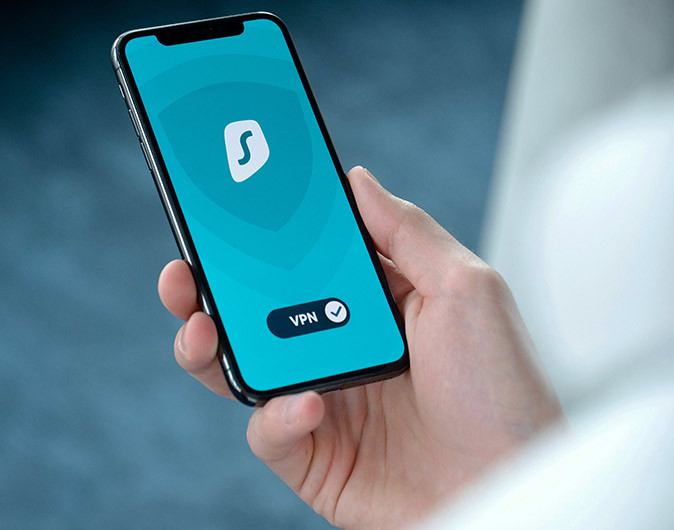
Nowadays there is a large number of VPN services, and unfortunately, not all VPN providers are created equal.
The main thing I would recommend you do is to check out reviews and recommendations to find a VPN that best meets your needs.
Decide what you mainly want a VPN for. Is it for privacy while surfing the internet? To download without looking over your shoulder? To evade the Great Firewall of China? Or just to access geo-blocked TV streaming services from abroad?
Almost every VPN provider fully supports Windows, Mac OSX, Android, and iPhone platforms, and many also support Linux and Chrome OS (if only indirectly). Support for Blackberry OS and Windows Mobile devices, however, is more limited.
To sign up for a VPN service, simply visit the provider’s website and follow the instructions. I recommend using Surfshark.
Alternatively, a lot of people swear by NordVPN, which is definitely a good VPN as well.
Note: using Netflix abroad with a VPN can be a struggle because Netflix gives an error when connected to most VPNs. Therefore, if Netflix is the main reason for you to get a VPN, definitely do some research first!
Considerations When Accessing Blocked Websites
Sometimes it’s an absolute necessity to access a blocked website in another country. Your bank’s website for example.
But, do think about the legal and ethical implications when trying to browse websites or use apps that were blocked.
Different countries have different regulations. Make sure you know the local laws.
Some websites and apps also have terms and conditions that may limit their use in certain countries. Respect those terms and conditions and refrain from circumventing them unlawfully.
Lastly, choose a reputable and secure VPN service or proxy server that protects your personal information. Not all VPNs and definitely not all proxy servers are of the same quality.
Also Read:
- How to Work Remotely From Anywhere in the World
- How to Stay Productive While Working Remotely
- How to Find the Cheapest Flights to Anywhere in the World
Like this article about how to access blocked websites from other countries? Pin it!

This article about how to open blocked sites contains affiliate links. I may receive a commission for purchases made through these links, at no additional cost to you.
As someone who travels frequently for work, I’ve been frustrated by the amount of websites that are blocked when I’m abroad. Just tried out the VPN you mentioned and it worked like a charm. Thanks for sharing!
Very helpful post! I’m traveling to China soon and was worried about how I would access my usual streaming services. This guide has given me some great options to try. Thank you!
Definitely make sure you have a VPN on all your devices! I went to China last month and didn’t have a VPN on my phone. Google really doesn’t work properly without a VPN, which I found out the hard way. After I landed I noticed I couldn’t use Google Maps to find my way to the hotel, but I then also struggled to download a VPN because for that I use the Google Play Store… So it’s definitely best to have that sorted before you land! 🙂
This is a great article on how to access blocked websites abroad. I have found that many websites are blocked in my country, so this article is very helpful.
This is a great article on how to access blocked websites abroad. I have found that many websites are blocked in my country, so this article is very helpful.
This is a great article on how to access blocked websites abroad. I have found that many websites are blocked in my country, so this article is very helpful.
I am in india and I need to see usa government websites. I find most of them but some are blocked for no apparent reason. I need information about renewing a passport, I used to pay property tax for my son in America but now I can’t access their site. If you have any idea what might work for me I would appreciate it. I have tried private windows and that doesn’t work either, I have changed settings to allow them to do anything they want but that also doesn’t help.
Hi Salima,
Have you tried a VPN? That should work. Turn on the VPN and set the location to USA. Then you should be able to visit any American website without problems.
How can you tell
The web site has geoblaocking?
The easiest way to tell is by trying to go to the website or app once you are abroad. For example, I am currently traveling in Cuba and without my VPN on there are many websites that simply won’t open, because they are blocked here. And certain apps won’t work either.
Yes! Finally someone writes about Proxy.
My website is geo blocked in some countries
What is the solution to make it available in that country
Hi Dejwar,
I would recommend contacting your hosting about this. My website was blocked on certain wifi networks in a country I recently visited. My hosting provider was able to look into that for me.